
To use AI models in Vidoyo, you need a Replicate API key.
Steps to Get Your API Key
- Go to Replicate:
https://replicate.com/ - Click Sign Up and create your account (or log in if you already have one).
- Once logged in, go to your Account Settings.
- Navigate to the API Tokens section:
https://replicate.com/account/api-tokens - Click “Create Token”.
- Copy your API token.
How to Use It in Vidoyo
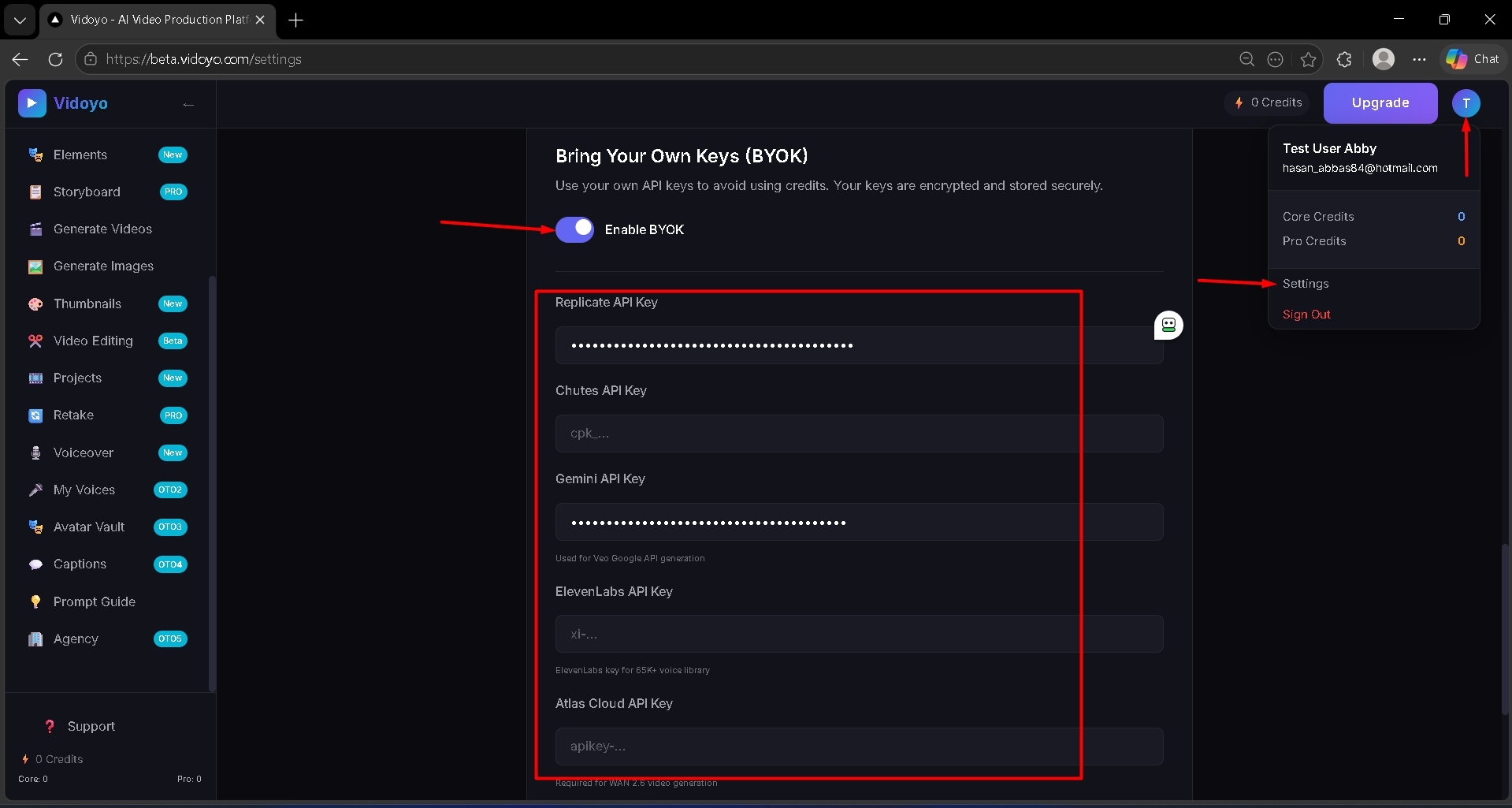
- Click on "Enable BYOK".
- Paste the API key into the Replicate API Key field inside Vidoyo settings
Important
- Keep your API key private and secure
- Do not share it with anyone
- Usage may incur charges based on your Replicate account