
Vidoyo uses Chutes for AI processing features. You’ll need an API key to connect your account.
Steps to Get Your API Key
- Go to Chutes:
https://www.chutes.ai/ - Click Sign Up and create your account (or log in).
- After logging in, go to your Dashboard / Account Settings
- Navigate to the API Keys / Developer section
- Click “Generate API Key” or “Create Token”
- Copy your API key
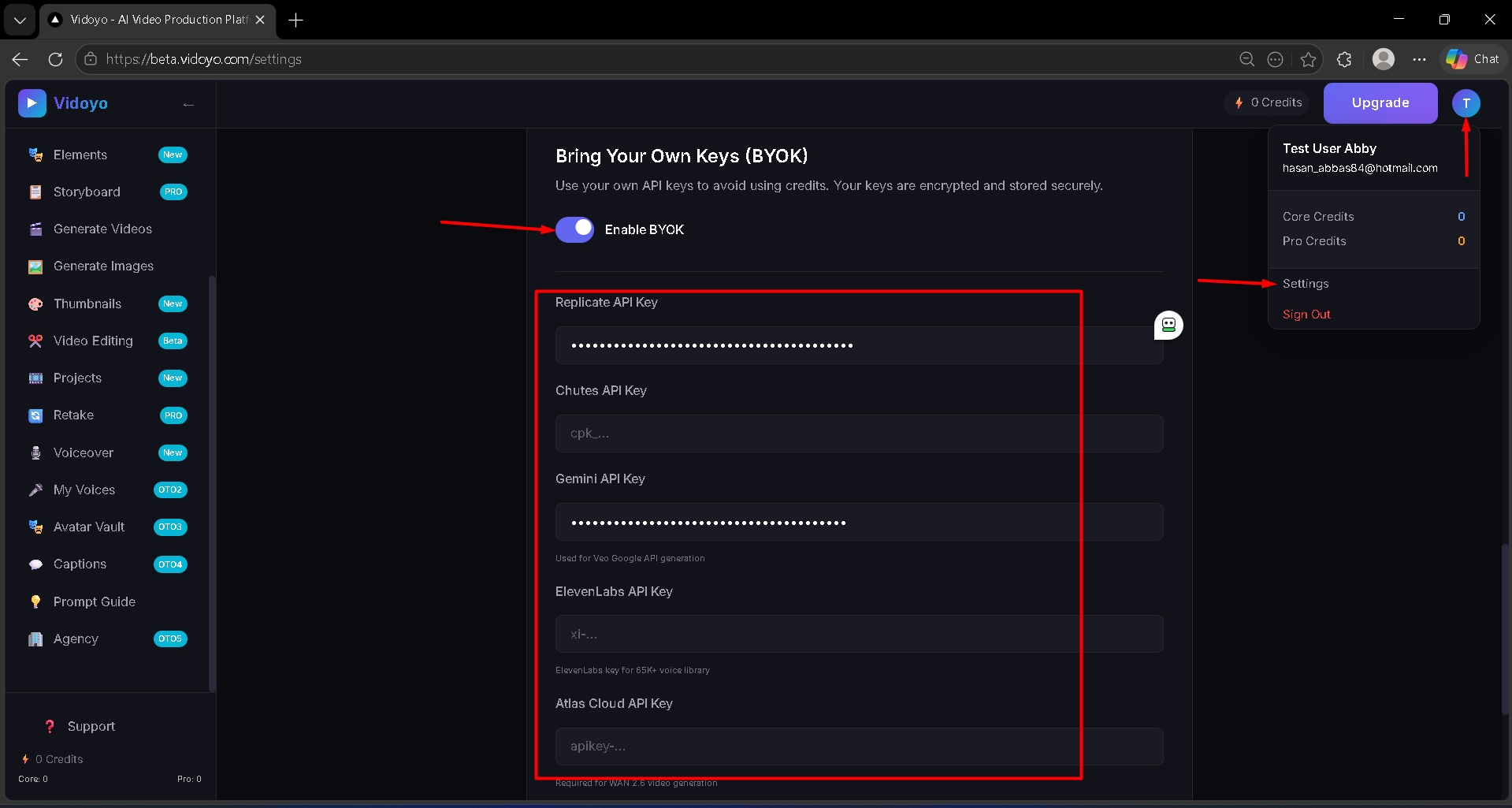
How to Use It in Vidoyo
- Click on "Enable BYOK".
- Paste the API key into the Chutes API Key field inside Vidoyo
Important
- Keep your API key private
- Ensure your account is active and properly configured