
Vidoyo uses ElevenLabs for AI voice generation.
Steps to Get Your API Key
- Go to ElevenLabs:
https://www.elevenlabs.io/ - Click Sign Up and create your account (or log in).
- Once logged in, go to your Profile / Account Settings
- Locate the API Key section
- Copy your API key
(In some cases, it is already generated and visible in your account settings.)
How to Use It in Vidoyo
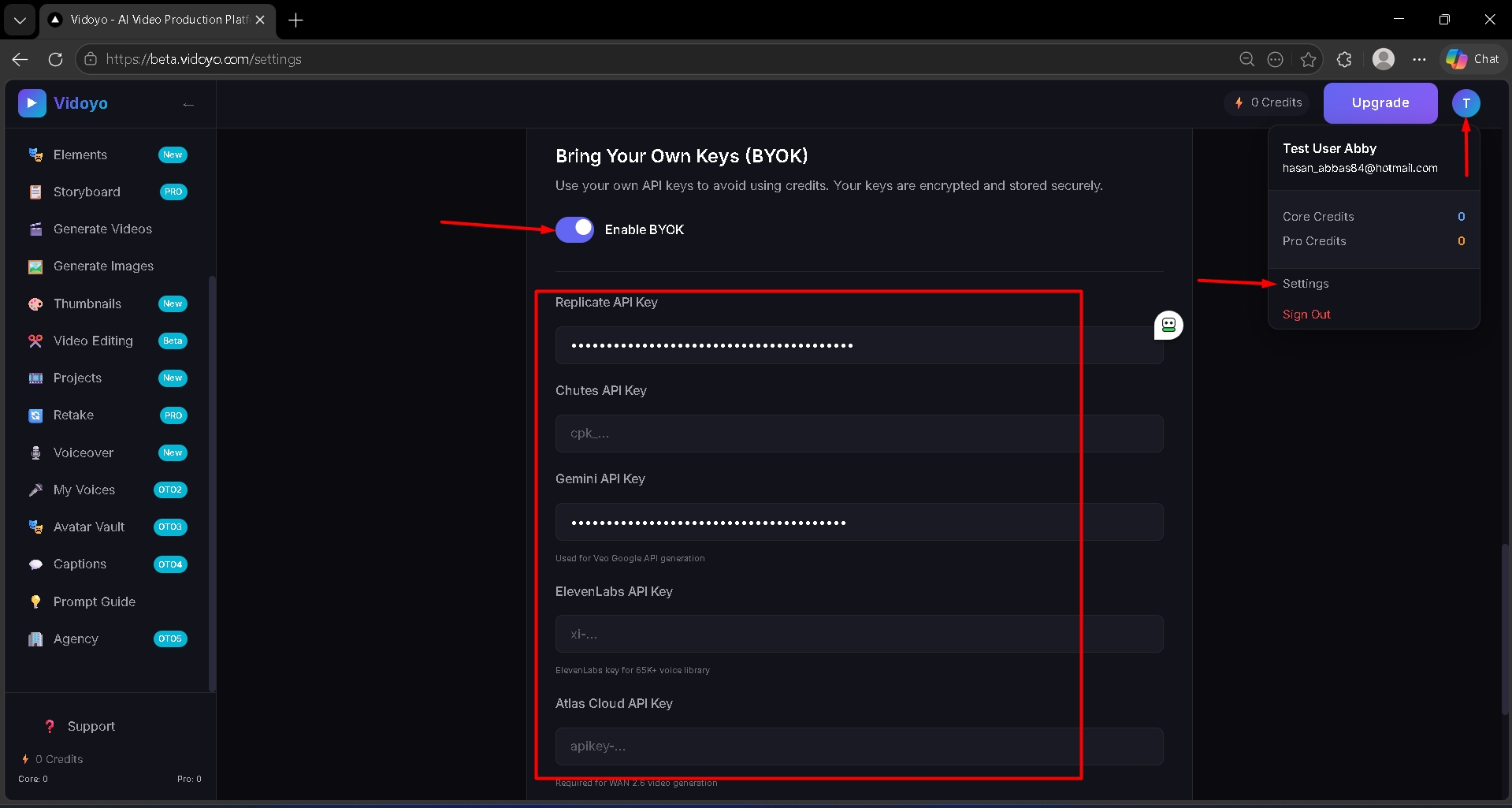
- Click on "Enable BYOK".
- Paste the API key into the ElevenLabs API Key field inside Vidoyo
Important
- Keep your API key secure
- Voice generation usage may be metered based on your plan